Email and SMS for payments, payouts, and deposits — plus the dashboard bell and account alerts
The person who needs to act on a payment is often not the one who created the ClickPesa account. If only one inbox sees it, money can sit unnoticed. After a customer pays, they also need a way to reach your business — a support email and phone, not a login address.Settings → Notifications lets you send the same payment, payout, and deposit alerts to your team, including by SMS. Settings → General lets you put a support contact on checkout, receipts, invoices, and payment confirmations.The dashboard also has:
In-app bell — the notification icon in the header
Account alerts — banners on relevant pages for setup, KYC, settlement, and product updates
Choose who gets transaction email and SMS, and in which language.Default languageEnglish or Swahili. Used for messages to you, your customers, and payout recipients, unless a payout row sets its own language.Receiving emailsUp to 5 addresses. If no email is added, your account email is used. If you add emails, only those inboxes get transaction email.Receiving SMS numbersUp to 3 Tanzanian numbers in +255 format. If no phone is added, your account phone is used. If you add phones, only those numbers get transaction SMS.What you can turn offTurn collections, disbursements, or deposits off if you do not want email or SMS for that activity.
Activity
Alerts
Collections
Payments received or unsuccessful, including when an invoice is paid
Disbursements
Payouts and withdrawals sent, reversed, refunded, or unsuccessful
Deposits
Deposit instructions, received, or unsuccessful
KYC, API keys, and Direct Debit updates always go to your account email. They are not sent as SMS.Invoice emails go to your customer. You are not emailed when you share, update, or mark an invoice paid. When they pay, that is a collection alert.
1
Open Settings → Notifications
Open Settings from the bottom-left sidebar and select Notifications.
2
Edit
Click Edit, then set language, receiving emails, SMS numbers, and which activities send alerts.
3
Save
Click Save.
Email and SMS are set on this page, not in the bell menu.
Customers who just paid — or a recipient waiting on a payout — will look for a way to reach you. Add a customer support email and phone under Settings → General. That contact is what they see on checkout, receipts, invoices, and payment confirmations. Your account email and phone stay private.Customers get a confirmation when they pay you, and an invoice email when you share, update, or mark an invoice paid.Payout recipients are notified when ClickPesa can reach them (for example their mobile money number). Add their email, phone, or a note if you want the message to include your business name and support contact.See Single Payout and Bulk Payouts.
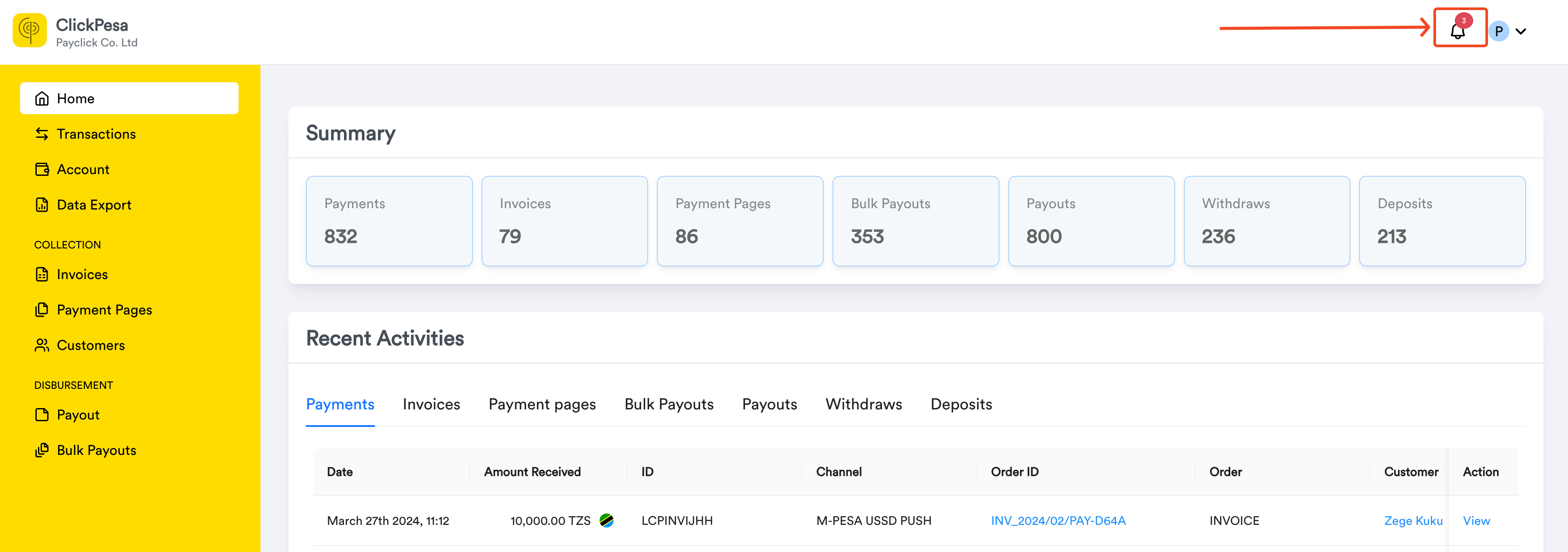
Click the notification icon at the top right of the dashboard.
Notification bell in the dashboard header.
2
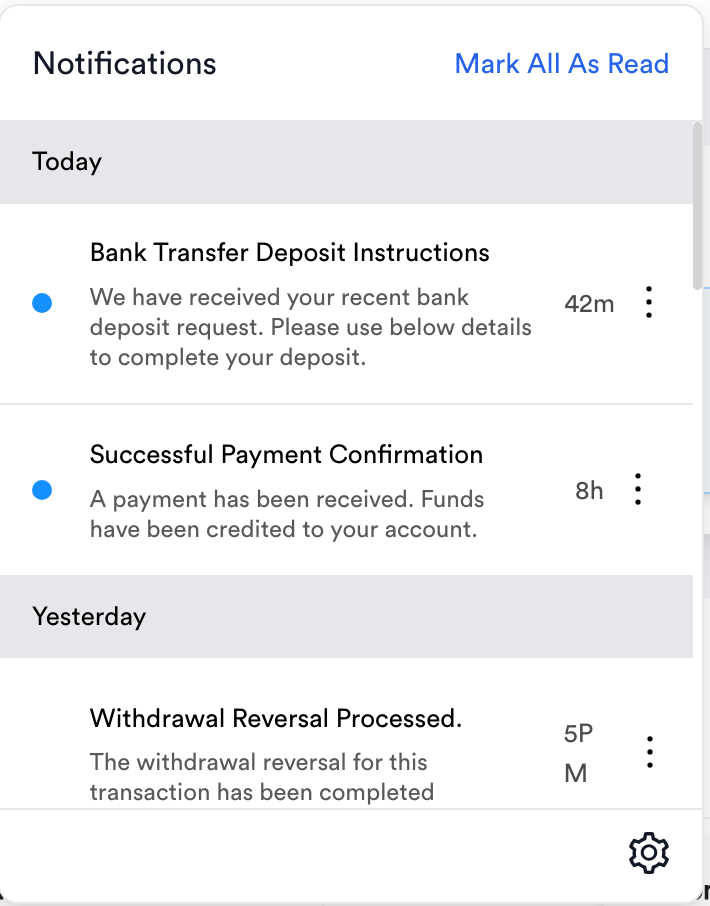
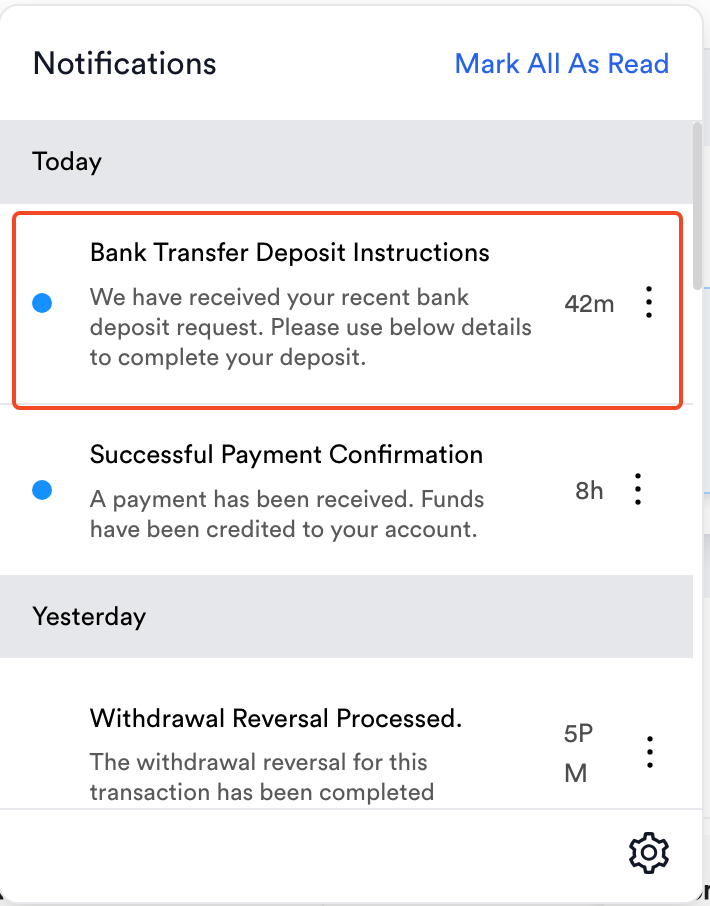
Browse in-app notifications
View payment, payout, and deposit updates in the notifications panel.
In-app notifications list.
3
Open a notification
Click a notification to open its details in a drawer.
Single notification details.
4
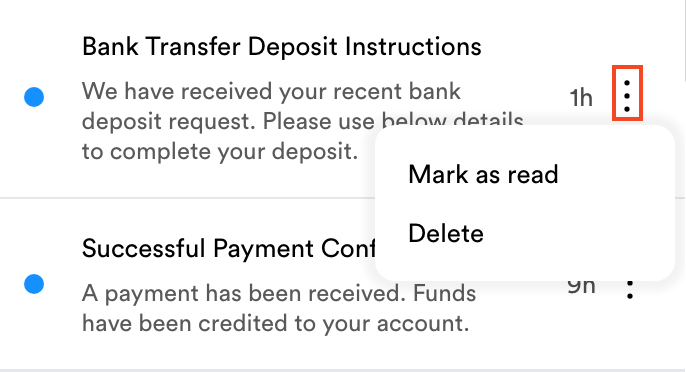
Delete or mark as read
Use the three-dot menu on a notification to delete it or mark it read or unread.
Notification actions menu.
If web notifications are enabled and you have granted permission for merchant.clickpesa.com, you can receive web notifications while logged in, even when the dashboard tab is in the background.
Account alerts highlight actions that need your attention or share important product updates. They appear below the page title and breadcrumbs.What you can expect
Relevant pages only: Most alerts show where you can resolve them — for example collection setup on Get Started and Settings → Collection, settlement updates on account and payout pages, and developer product updates on the dashboard and Settings → Developers
Critical KYC limits: If your pre-KYC transaction limit is reached, a restriction alert stays available across the dashboard until KYC is approved
Dismiss informational updates: Product updates and similar messages can be dismissed after you’ve read them so they don’t keep reappearing
Collapse when needed: You can temporarily hide or expand alerts on a page while you work
Account alerts are separate from the notification bell and from Settings → Notifications.
How do I stop transaction emails?Turn off collections, disbursements, or deposits under Settings → Notifications, or remove that address from the emails you added.How do I add another inbox or phone?Add it under receiving emails (max 5) or receiving SMS numbers (max 3, +255). Once you add people, only they get those alerts.Will KYC or API key emails go to my team list?No. Those stay on your account email.Will I get an email when I share an invoice?No. Invoice emails go to the customer. When they pay, you get a collection alert if collections is on.Do notification settings affect security alerts?Security-related alerts are mandatory and are not controlled by these preferences.Where do account alert banners appear?Most account alerts appear on the pages where you can act on them. Critical KYC limit alerts stay available across the dashboard until KYC is approved. Informational product updates can be dismissed after you read them.