> ## Documentation Index
> Fetch the complete documentation index at: https://docs.clickpesa.com/llms.txt
> Use this file to discover all available pages before exploring further.

# Instant Web Access

> Install the ClickPesa Merchant Dashboard as an app on your phone or desktop for quick access without app store downloads

Install the Merchant Dashboard on your home screen or desktop for one-tap access — no app store download or manual updates required.

## Mobile

### Android

<Steps>
  <Step title="Open the dashboard in Chrome">
    Visit [merchant.clickpesa.com](https://merchant.clickpesa.com/) in Chrome.
  </Step>

  <Step title="Open the browser menu">
    Tap the three-dot menu at the top right of the address bar.
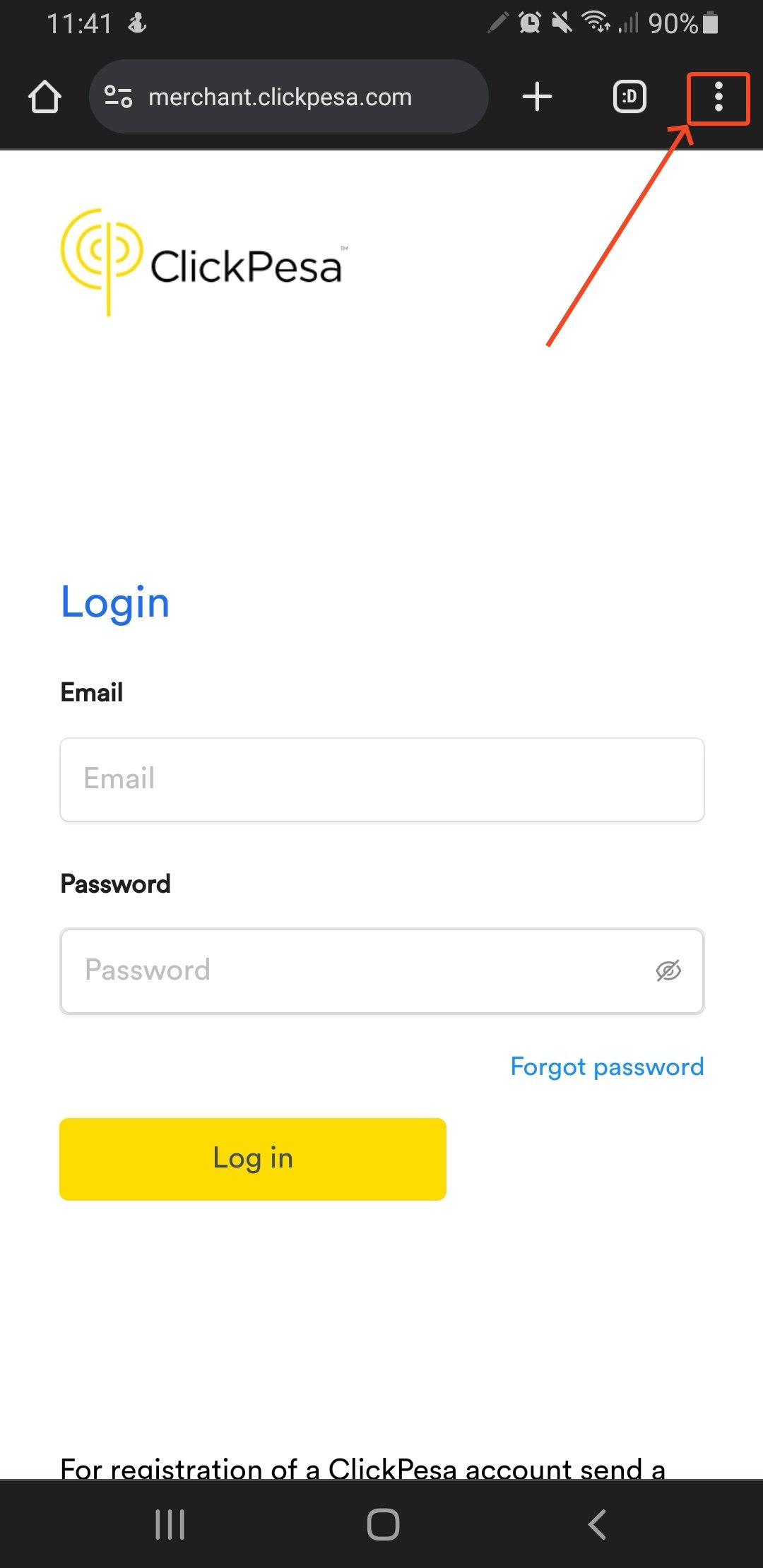
    <Frame caption="Chrome menu on Android.">
      <img src="https://mintcdn.com/clickpesa/C3eIIio-qxIwXWfX/images/knowledge-base/Screenshot_20231222-114118_Chrome.jpeg?fit=max&auto=format&n=C3eIIio-qxIwXWfX&q=85&s=56c04f7dbbae543d368e4e13f6d8889a" alt="Chrome three-dot menu on Android" width="1080" height="2220" data-path="images/knowledge-base/Screenshot_20231222-114118_Chrome.jpeg" />
    </Frame>
  </Step>

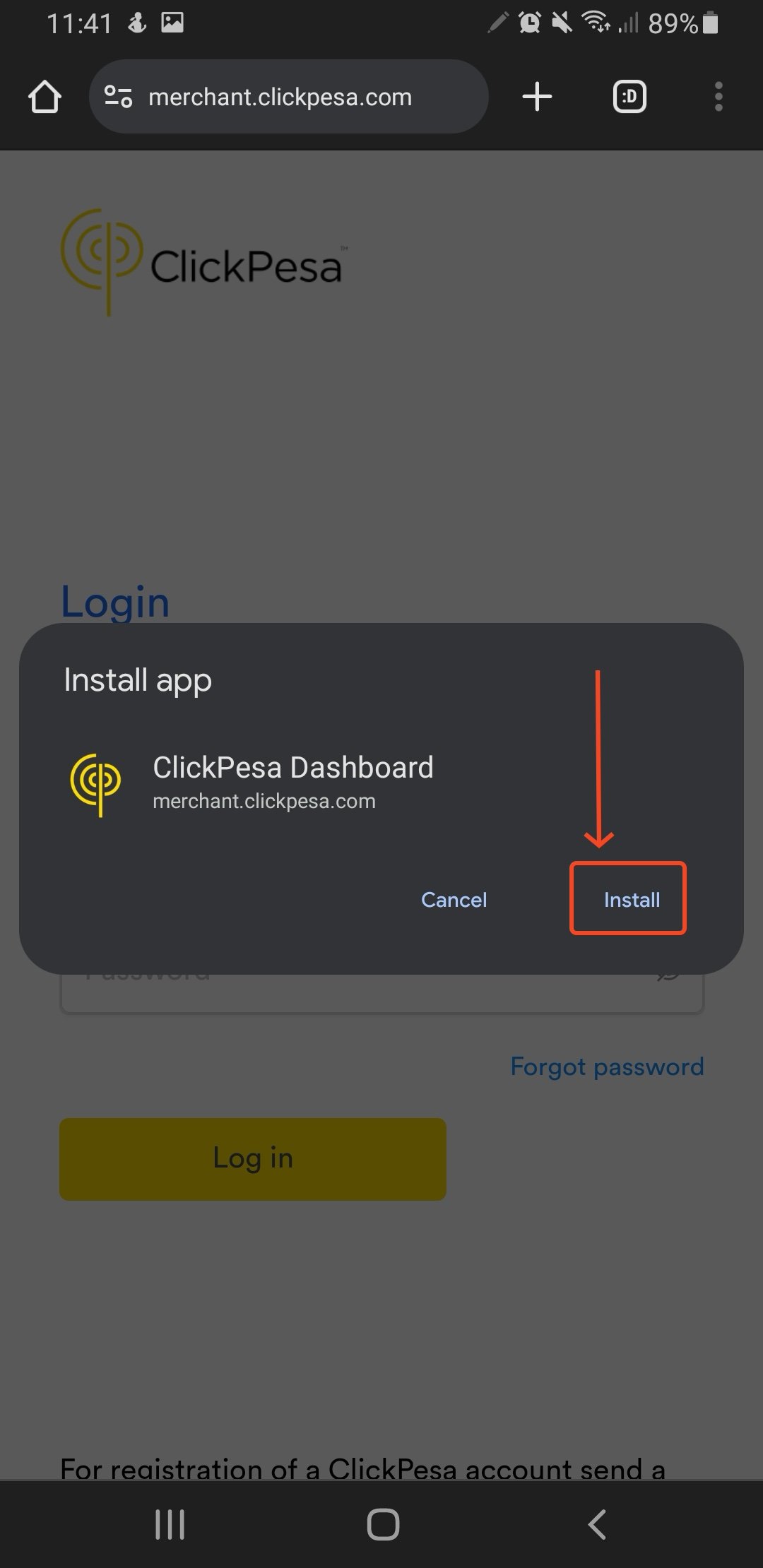
  <Step title="Install the app">
    Tap **Install App** at the bottom of the menu.
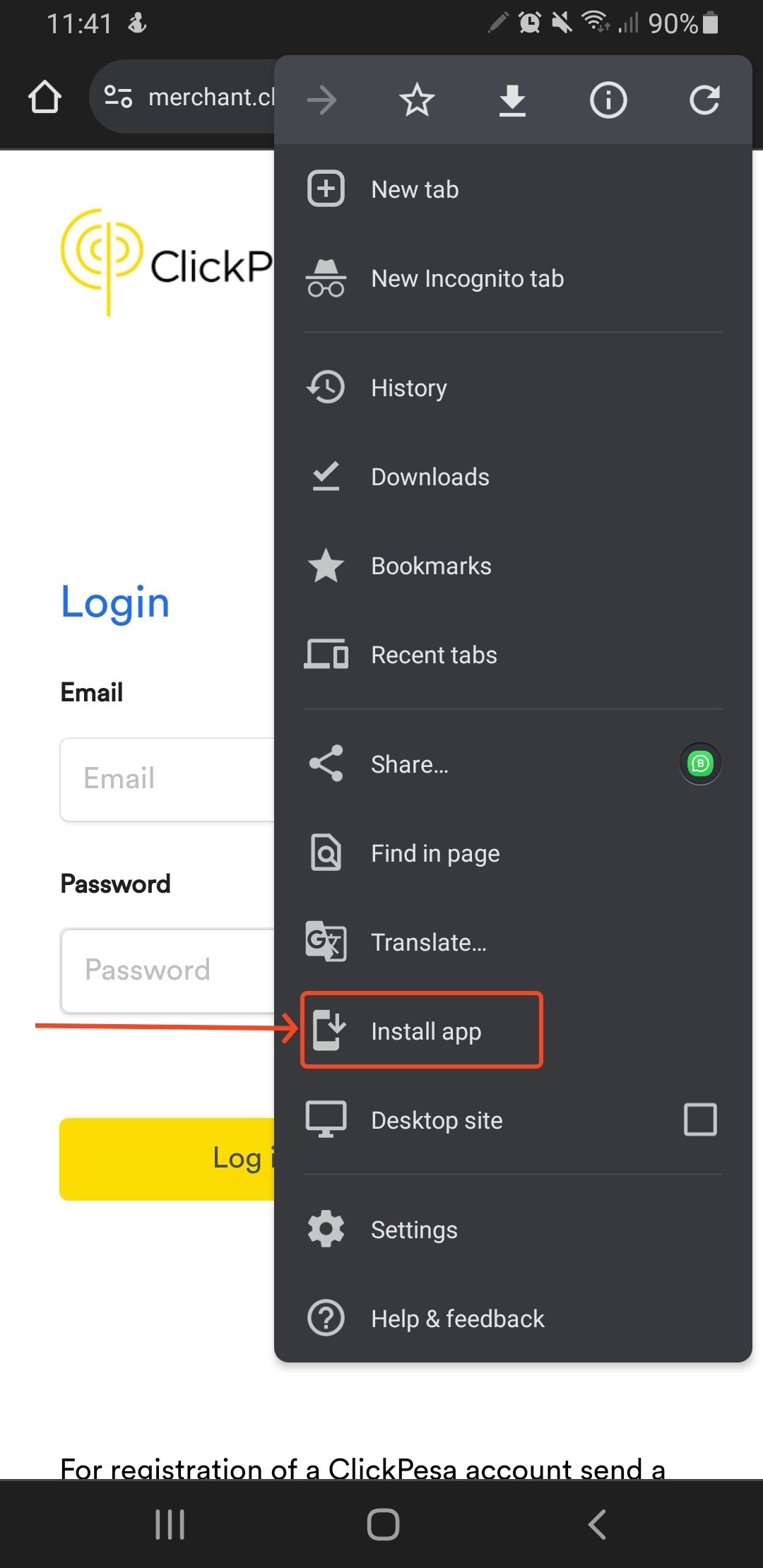
    <Frame caption="Select **Install App**.">
      <img src="https://mintcdn.com/clickpesa/C3eIIio-qxIwXWfX/images/knowledge-base/Screenshot_20231222-114126_Chrome.jpeg?fit=max&auto=format&n=C3eIIio-qxIwXWfX&q=85&s=be14465fab6fea4b422fc1877c37a03e" alt="Chrome Install App option" width="1080" height="2220" data-path="images/knowledge-base/Screenshot_20231222-114126_Chrome.jpeg" />
    </Frame>

    <Frame caption="Confirm the install prompt.">
      <img src="https://mintcdn.com/clickpesa/C3eIIio-qxIwXWfX/images/knowledge-base/Screenshot_20231222-114147_Chrome.jpeg?fit=max&auto=format&n=C3eIIio-qxIwXWfX&q=85&s=43a55b5a7590bc17eb81d4ce7a0aa32b" alt="Chrome install confirmation prompt" width="1080" height="2220" data-path="images/knowledge-base/Screenshot_20231222-114147_Chrome.jpeg" />
    </Frame>
  </Step>

  <Step title="Open from your home screen">
    The ClickPesa icon appears in your app list for quick access.
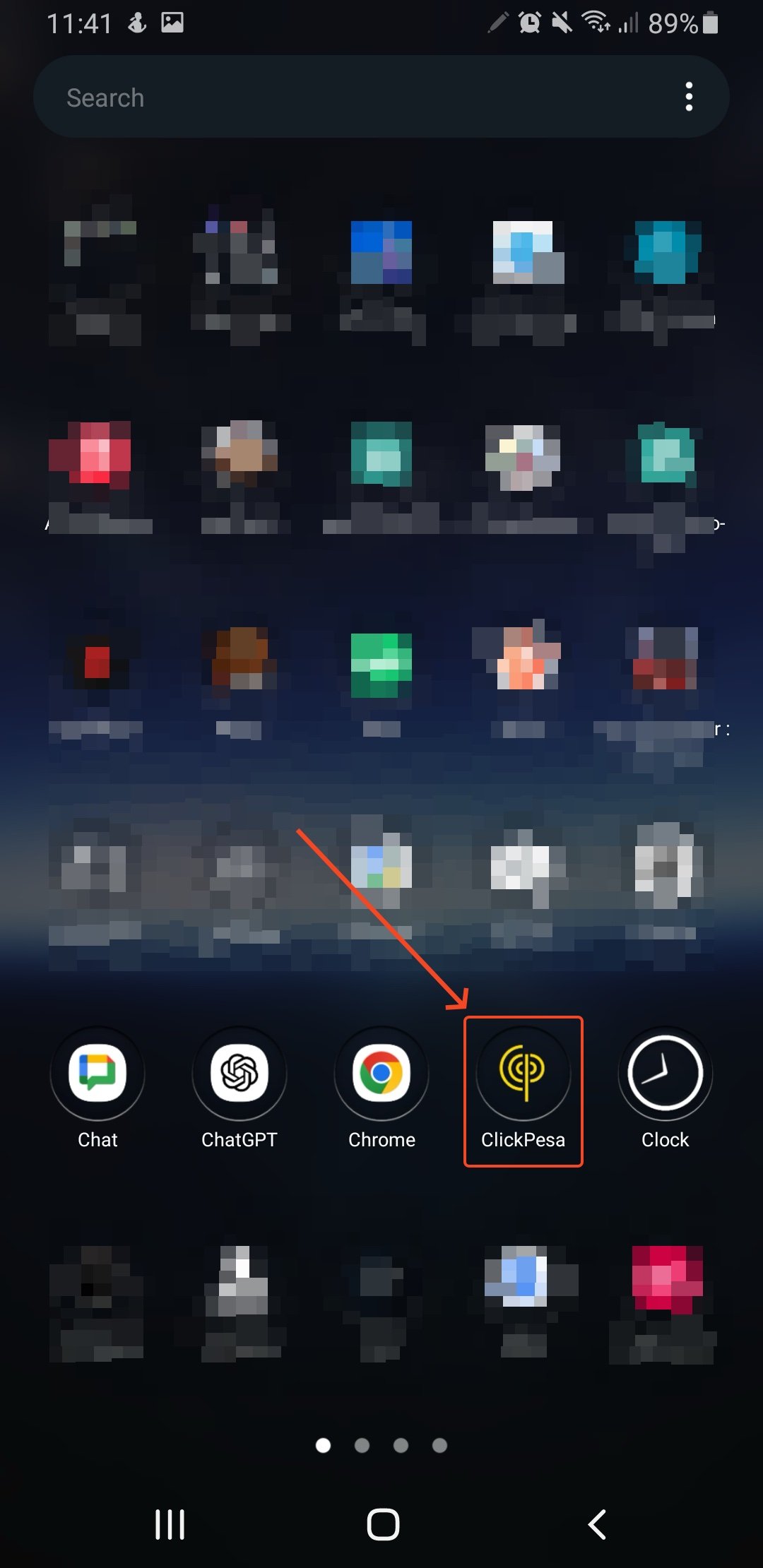
    <Frame caption="ClickPesa icon on the Android home screen.">
      <img src="https://mintcdn.com/clickpesa/C3eIIio-qxIwXWfX/images/knowledge-base/Screenshot_20231222-114157_One-UI-Home.jpeg?fit=max&auto=format&n=C3eIIio-qxIwXWfX&q=85&s=9f16d697dd696e7bb5dcc96243e69bee" alt="ClickPesa app icon on Android home screen" width="1080" height="2220" data-path="images/knowledge-base/Screenshot_20231222-114157_One-UI-Home.jpeg" />
    </Frame>
  </Step>
</Steps>

### iPhone

<Steps>
  <Step title="Open the dashboard in Safari">
    Visit [merchant.clickpesa.com](https://merchant.clickpesa.com/) in Safari.
  </Step>

  <Step title="Open the Share menu">
    Tap the **Share** icon at the bottom center.
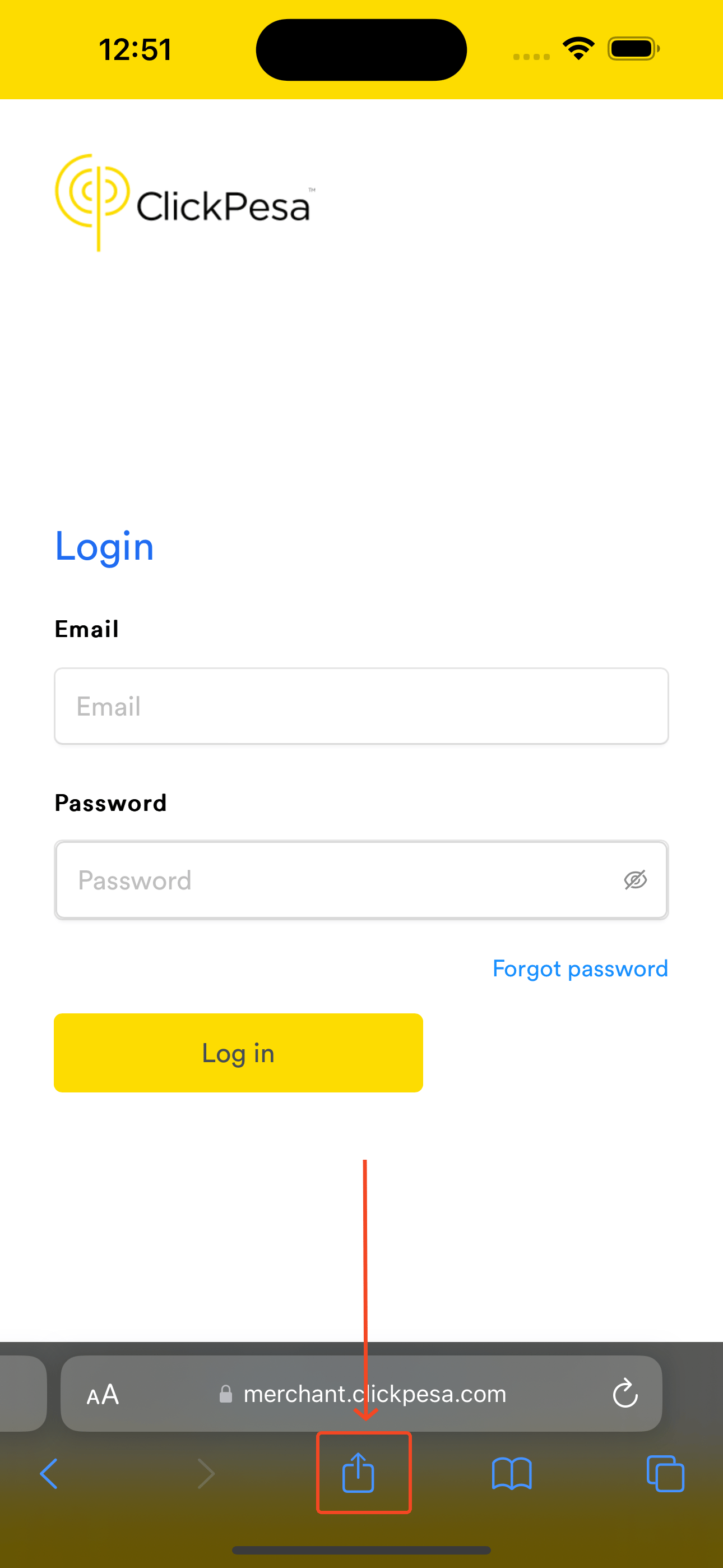
    <Frame caption="Safari Share menu on iPhone.">
      <img src="https://mintcdn.com/clickpesa/C3eIIio-qxIwXWfX/images/knowledge-base/Simulator-Screenshot-iPhone-15-Pro-Max-2023-12-22-at-12.51.43.png?fit=max&auto=format&n=C3eIIio-qxIwXWfX&q=85&s=80de3441c92c76a00dea95cb44cbd305" alt="Safari Share icon on iPhone" width="1290" height="2796" data-path="images/knowledge-base/Simulator-Screenshot-iPhone-15-Pro-Max-2023-12-22-at-12.51.43.png" />
    </Frame>
  </Step>

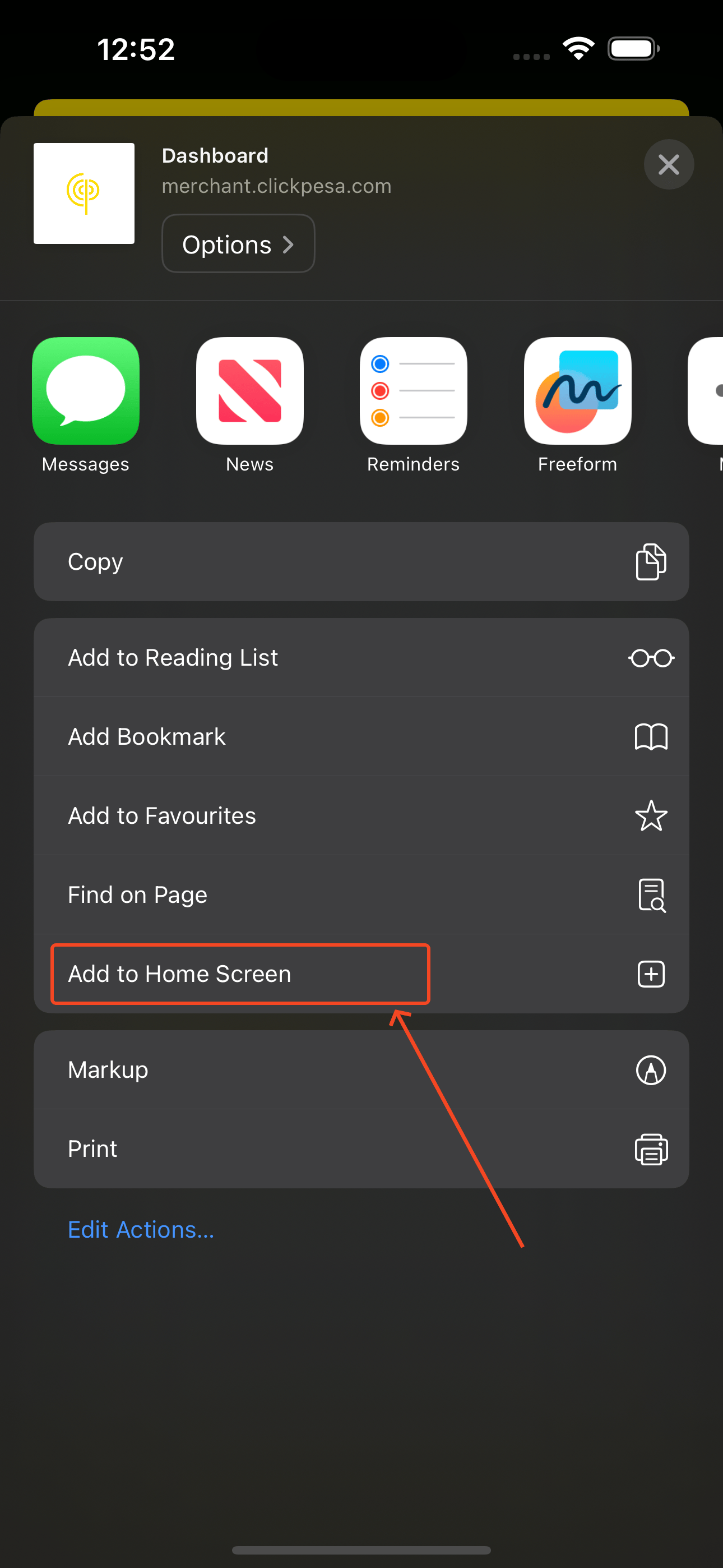
  <Step title="Add to Home Screen">
    Tap **Add to Home Screen**.

    <Frame caption="Select **Add to Home Screen**.">
      <img src="https://mintcdn.com/clickpesa/C3eIIio-qxIwXWfX/images/knowledge-base/Simulator-Screenshot-iPhone-15-Pro-Max-2023-12-22-at-12.52.04.png?fit=max&auto=format&n=C3eIIio-qxIwXWfX&q=85&s=4e41042ed0e15944fb52637fe21f81b9" alt="Safari Add to Home Screen option" width="1290" height="2796" data-path="images/knowledge-base/Simulator-Screenshot-iPhone-15-Pro-Max-2023-12-22-at-12.52.04.png" />
    </Frame>

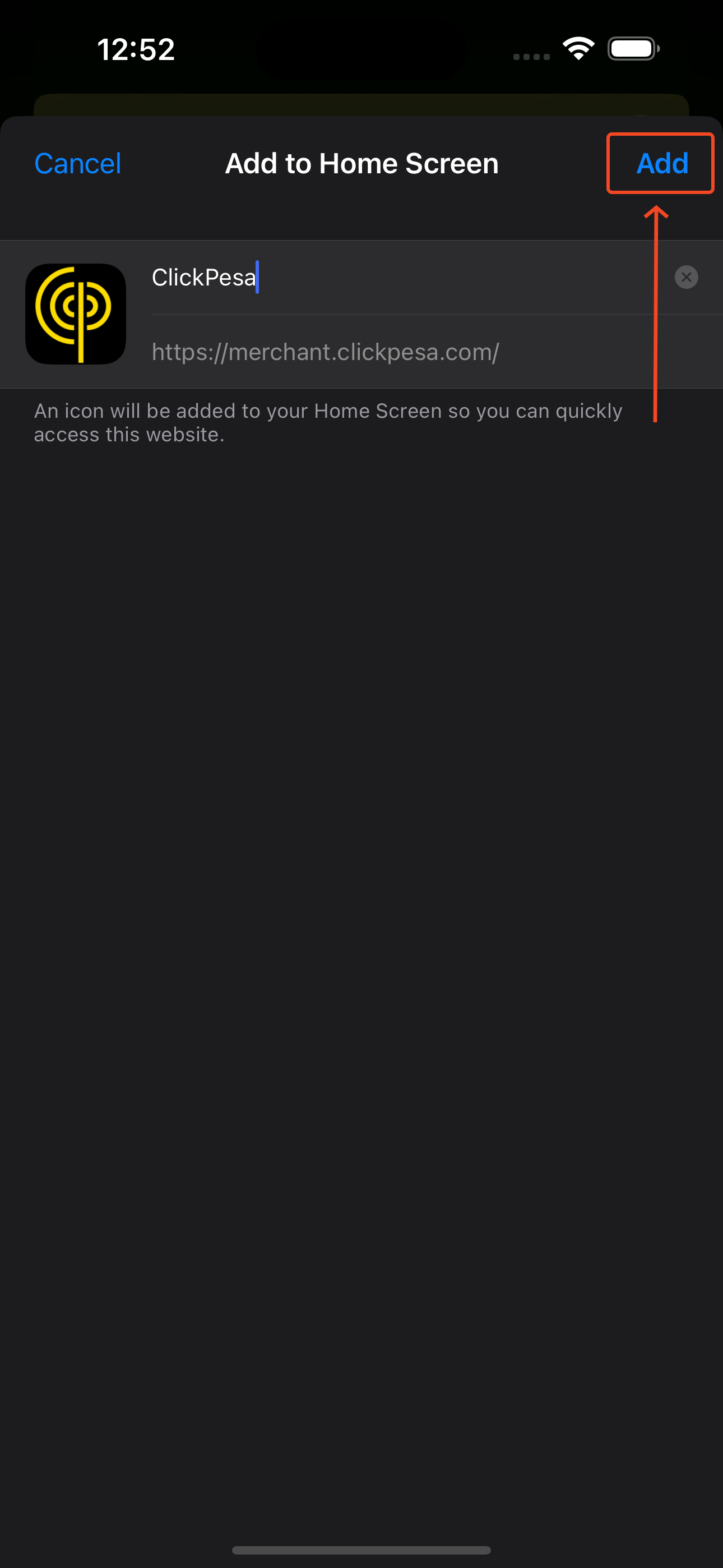
    <Frame caption="Optionally edit the name, then tap **Add**.">
      <img src="https://mintcdn.com/clickpesa/C3eIIio-qxIwXWfX/images/knowledge-base/Simulator-Screenshot-iPhone-15-Pro-Max-2023-12-22-at-12.52.11.png?fit=max&auto=format&n=C3eIIio-qxIwXWfX&q=85&s=7372baae454e8b644e026e378cebe1a2" alt="Edit app name before adding to home screen" width="1290" height="2796" data-path="images/knowledge-base/Simulator-Screenshot-iPhone-15-Pro-Max-2023-12-22-at-12.52.11.png" />
    </Frame>
  </Step>

  <Step title="Open from your home screen">
    The ClickPesa icon appears on your home screen.
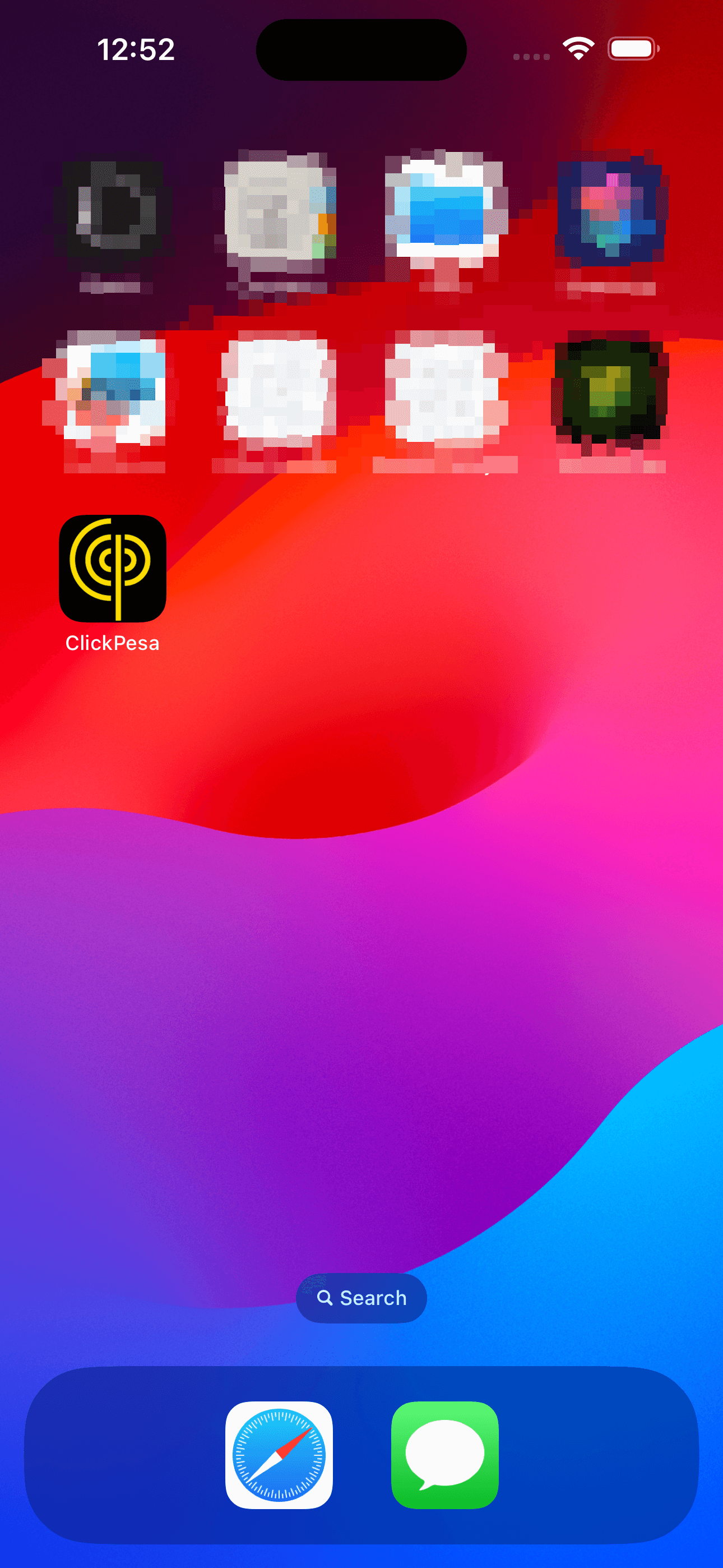
    <Frame caption="ClickPesa icon on the iPhone home screen.">
      <img src="https://mintcdn.com/clickpesa/C3eIIio-qxIwXWfX/images/knowledge-base/Simulator-Screenshot-iPhone-15-Pro-Max-2023-12-22-at-12.52.21.png?fit=max&auto=format&n=C3eIIio-qxIwXWfX&q=85&s=ed6eb89acc440f3ce4abfb8ca10b4929" alt="ClickPesa app icon on iPhone home screen" width="1290" height="2796" data-path="images/knowledge-base/Simulator-Screenshot-iPhone-15-Pro-Max-2023-12-22-at-12.52.21.png" />
    </Frame>
  </Step>
</Steps>

## Desktop

### Windows, Linux, and Mac

<Steps>
  <Step title="Open the dashboard in Chrome">
    Visit [merchant.clickpesa.com](https://merchant.clickpesa.com/) in Chrome.
  </Step>

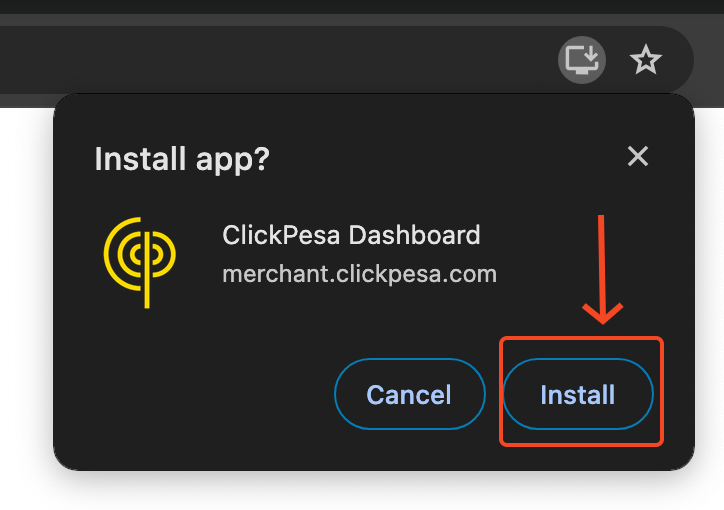
  <Step title="Install the app">
    Click the install icon in the address bar.
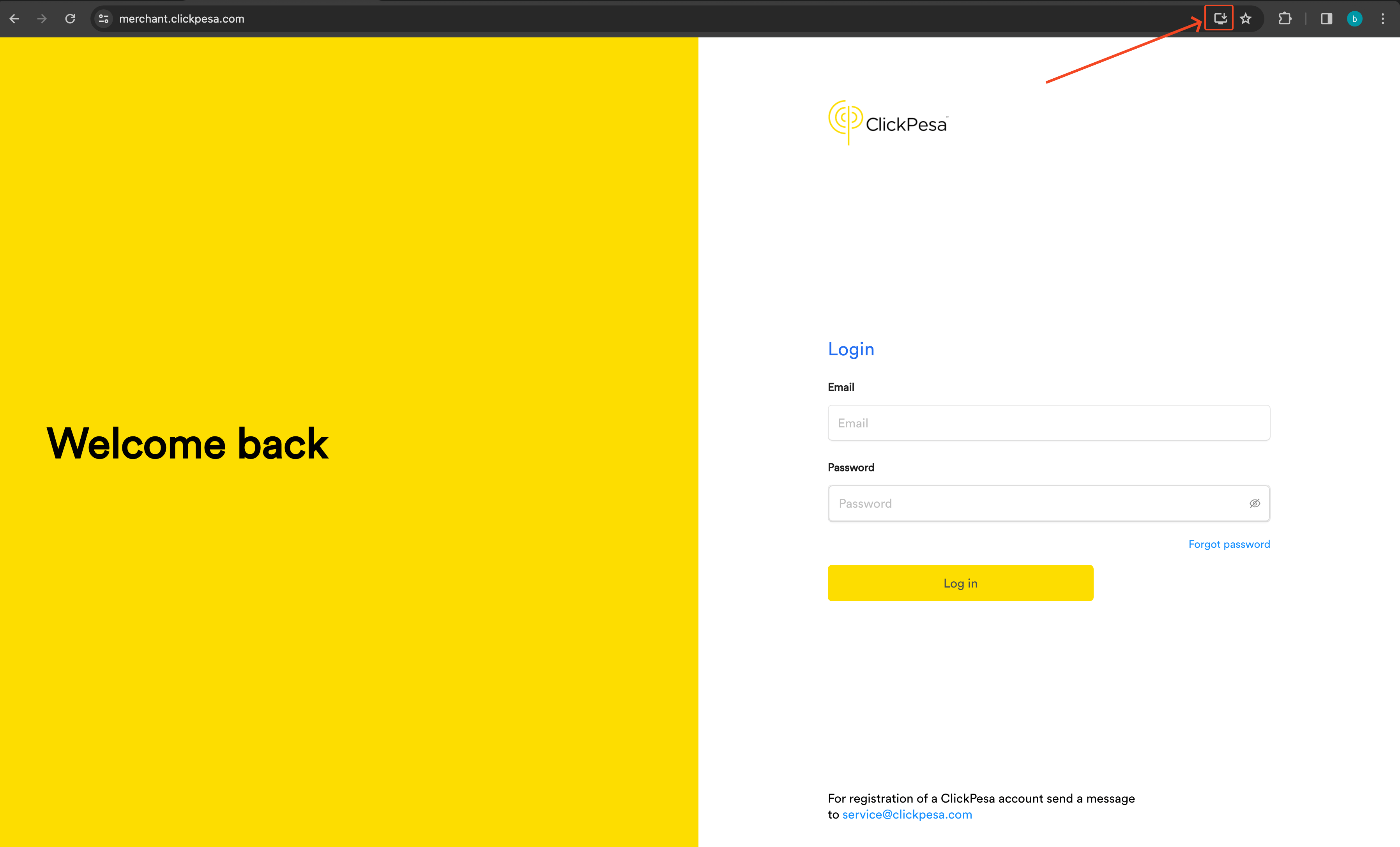
    <Frame caption="Install icon in the Chrome address bar.">
      <img src="https://mintcdn.com/clickpesa/b9ma1tDtoPEB4JTF/images/knowledge-base/SCR-20231222-kpxj.png?fit=max&auto=format&n=b9ma1tDtoPEB4JTF&q=85&s=a2f18d9ee9bf7f3ddb9b3ec40e5c5642" alt="Chrome install icon in address bar" width="3592" height="2174" data-path="images/knowledge-base/SCR-20231222-kpxj.png" />
    </Frame>

    <Frame caption="Confirm the install prompt.">
      <img src="https://mintcdn.com/clickpesa/b9ma1tDtoPEB4JTF/images/knowledge-base/SCR-20231222-kqci.png?fit=max&auto=format&n=b9ma1tDtoPEB4JTF&q=85&s=752f94565ede7a18b48cdeebeaf75bda" alt="Chrome desktop install confirmation" width="724" height="510" data-path="images/knowledge-base/SCR-20231222-kqci.png" />
    </Frame>
  </Step>

  <Step title="Open from your desktop">
    The ClickPesa icon appears in your desktop app list.
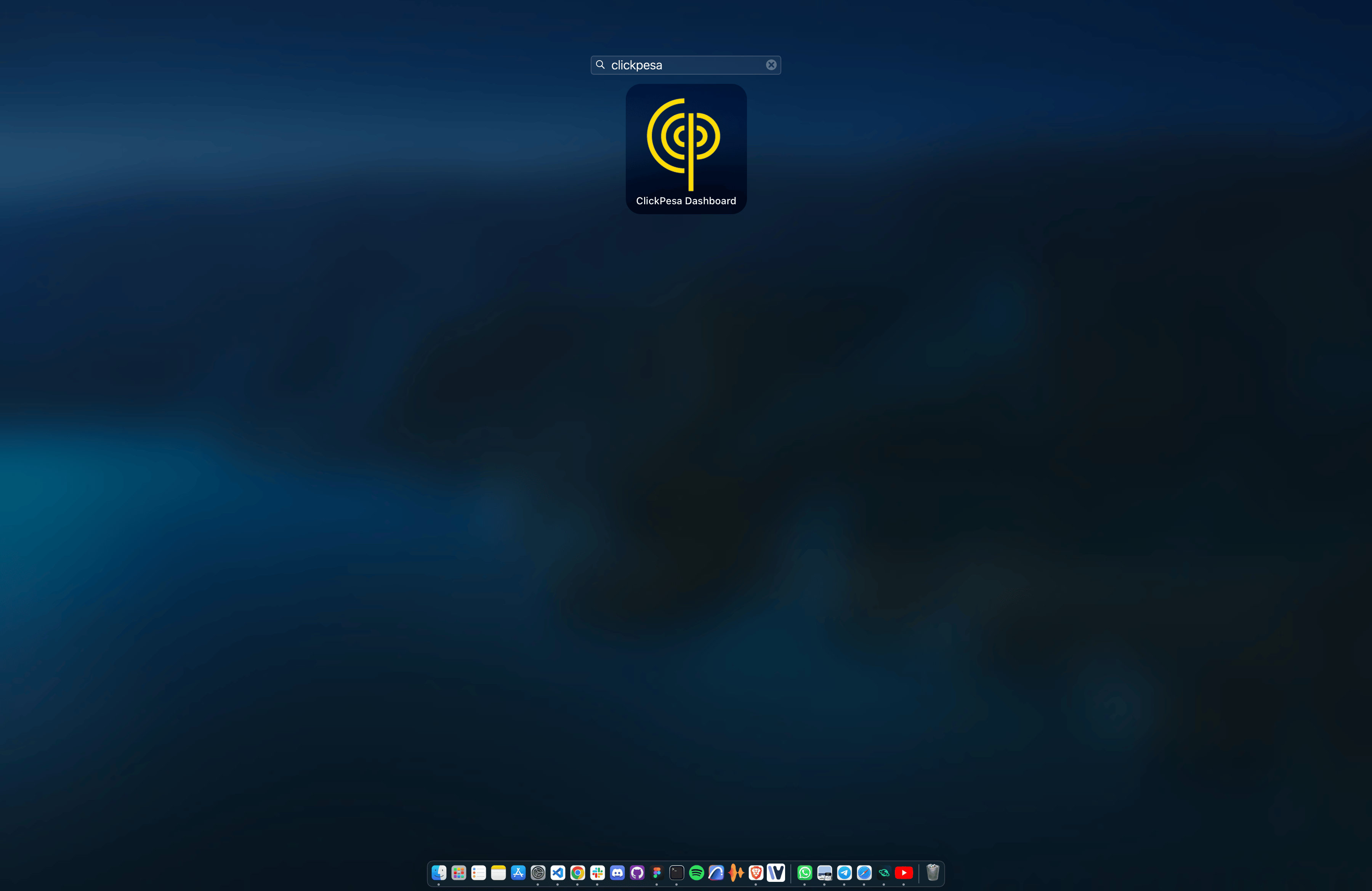
    <Frame caption="ClickPesa icon in the desktop app list.">
      <img src="https://mintcdn.com/clickpesa/C3eIIio-qxIwXWfX/images/knowledge-base/Screenshot-2023-12-22-at-12.19.44.png?fit=max&auto=format&n=C3eIIio-qxIwXWfX&q=85&s=79b27a91c30e7b4b8f8a0b49733bed59" alt="ClickPesa desktop app icon" width="3600" height="2338" data-path="images/knowledge-base/Screenshot-2023-12-22-at-12.19.44.png" />
    </Frame>
  </Step>
</Steps>